Ditch the Subscription: 10 Free Image Editors That Punch Way Above Their Price Tag
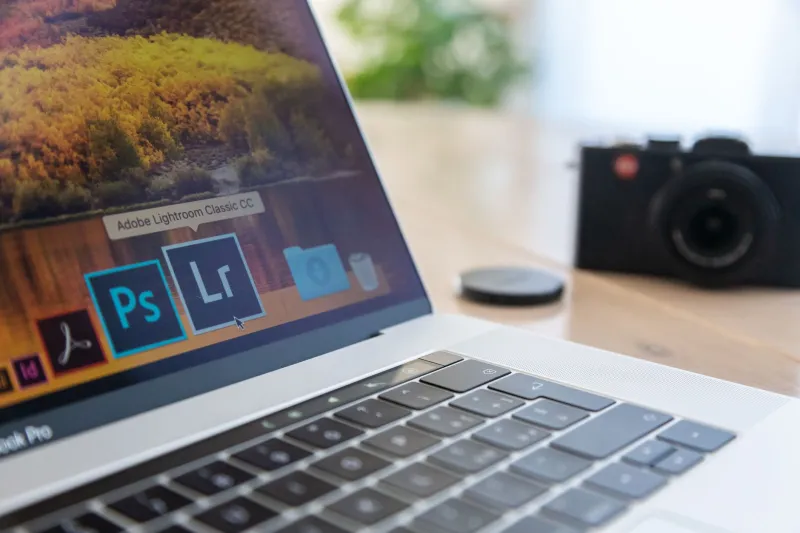
Adobe wants you to believe that pro-grade editing requires a monthly invoice. We wanted to believe otherwise. So we blocked out three weeks, grabbed ten free editors, and ran them through the same gauntlet: a portrait retouch, a landscape raw file, a batch resize for a client's social calendar, and a last-minute graphic design panic.
Some crashed. Some wowed us. A few genuinely made us question why anyone pays $23.99 a month. Here's the honest breakdown.
GIMP: The Old Reliable Still Shows Up
GIMP has been the open-source answer to Photoshop since roughly the Bush administration, and honestly? It's never been better. The 3.x releases finally brought non-destructive editing and a UI that doesn't feel like a lab project.
In our portrait test, GIMP's layer masks and clone tool handled skin cleanup nearly as cleanly as Photoshop. The curves tool is legit. Where it stumbles: no native raw support worth writing home about, and the plugin ecosystem requires some DIY spirit.
Best for: hobbyist photographers and anyone who wants desktop-class power with zero cost and zero telemetry.
Photopea: Photoshop in Your Browser Tab
This one surprised our whole team. Photopea looks so much like Photoshop that muscle memory just... works. It opens PSD files, handles smart objects, and even supports layer styles.
We ran a full social media graphic workflow — text layers, blend modes, export to web-optimized PNG — without ever leaving Chrome. The ads on the free tier are mildly annoying but forgivable.
Best for: social media managers juggling client files on borrowed laptops.
Darktable: Lightroom's Free Twin (With a Learning Curve)
If Lightroom is a friendly hybrid car, Darktable is a manual-transmission sports coupe. It's built around the same non-destructive, module-based raw workflow, and its color science is genuinely excellent.
Our landscape raw file came out of Darktable with richer shadow recovery than we expected at any price. The interface, though, will chew up an afternoon before it clicks.
Best for: photographers who shoot raw and want Lightroom-class processing without Adobe's ecosystem lock-in.
RawTherapee: The Shadow-Recovery Specialist
Another raw powerhouse, RawTherapee trades polish for depth. Its local contrast and detail-recovery tools outperformed Lightroom Classic in our high-ISO night shot from a Chicago rooftop shoot. Batch processing is fast and scriptable.
Best for: technical shooters who care more about tonal control than pretty interfaces.
Canva Free: Not an Editor, But a Workhorse
Purists will object, but Canva's free tier is how half the small businesses in America actually make images. Templates, background remover (limited), and one-click resizing for every platform imaginable. It won't replace Photoshop, but it doesn't need to.
Best for: marketers and solopreneurs who need decent visuals by lunch.
Krita: The Artist's Secret Weapon
Krita is built for digital painting, but its brush engine and symmetry tools make it fantastic for illustrative edits and compositing. We used it to hand-paint a sky replacement that no automated tool could match.
Best for: illustrators and creators who blend photo and paint.
Pixlr: Quick Fixes on the Fly
Browser-based, fast, and refreshingly simple. Pixlr won't win any awards for advanced masking, but for a 30-second crop-and-contrast rescue before a deadline, it's unbeatable.
Best for: bloggers and newsletter writers in a hurry.
Fotor: One-Click Edits That Don't Look One-Click
Fotor's HDR and portrait enhancement presets are smarter than most. We ran a dull backyard portrait through its free portrait suite and got results that needed only minor cleanup.
Best for: casual shooters who want good-enough, fast.
Capture One Free (Express Tiers) & Free Trials — Use Them Strategically
Several paid suites, including Capture One and Luminar, offer genuinely useful free tiers or extended trials. Rotating through trials during a big project is a legitimate strategy — just set calendar reminders before the card gets charged.
Best for: pros evaluating a switch.
Affinity's Free Starter Resources
While Affinity Photo isn't free, its free sample files, macro packs, and learning materials let you test drive a Photoshop alternative risk-free. Keep it on your radar during their frequent sales.
Best for: Photoshop users scouting an exit.
The Verdict
Our workflow-by-workflow winners: Photopea for everyday editing, Darktable for raw photography, and Canva for volume social content. The gap between free and paid has narrowed to the point where, for most creators, the main thing a subscription buys is a logo on the splash screen.
Try one before your next Adobe renewal. You might not go back.