Why Your Instagram Grid Looks Off (and the Hex Codes That Will Fix It)
Ever scroll through your own Instagram profile and get that nagging feeling something's wrong? Every photo is sharp. Your lighting is on point. And yet the grid looks like a yard sale instead of a brand.
Nine times out of ten, the problem isn't your photos. It's your colors fighting each other.
Here's the good news: fixing it doesn't require a semester of color theory. It requires about twenty minutes and a couple of free tools.
The Real Reason Your Grid Feels Chaotic
Think of your profile grid as a room. Individual photos are the furniture. Color is the paint. You can have gorgeous furniture, but if one wall is mint, another is burnt orange, and the trim is navy, the whole room feels off.
When you post a photo with warm golden tones on Monday, a cool blue-toned flat lay on Wednesday, and a neon-lit gym shot on Friday, your viewers' brains register the whiplash — even if they can't articulate it. Consistency in color is what makes a grid feel intentional instead of accidental.
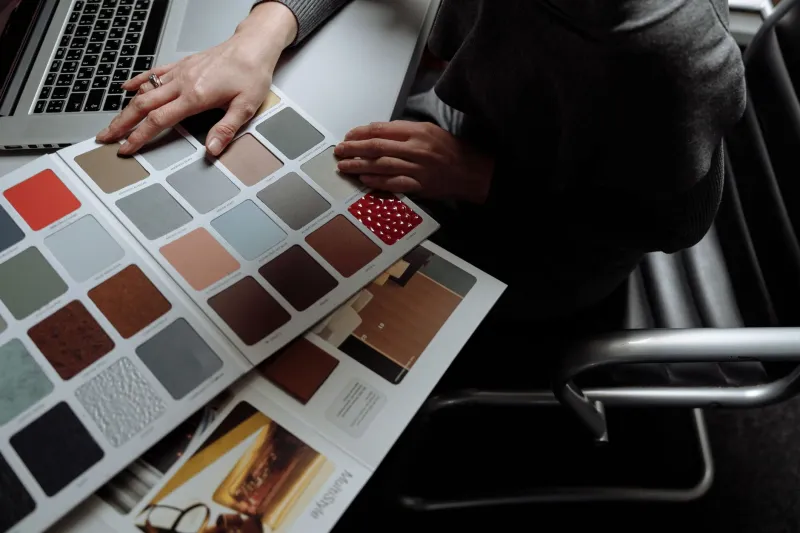
The fix is a palette: three to five colors you use over and over, in your photos, your text overlays, your story highlights, everything.
Skip the Jargon: The Only Two Concepts You Need
Forget complementary, split-complementary, and whatever a tetradic scheme is. Here's all you actually need:
1. One dominant color. This is the color that shows up most in your feed. It should match the vibe of your niche — earthy greens for wellness, deep navy for finance, warm reds for food.
2. One accent color. Used sparingly, this is your pop. It's the color of your call-to-action buttons, your highlight covers, the occasional prop in a photo.
Then fill in the gaps with neutrals — white, cream, gray, black. Neutrals are the glue. Nobody ever looked at a feed with too much beige and thought "chaotic."
That's it. That's the theory.
Build Your Palette in 15 Minutes (Free Tools Only)
Option 1: Adobe Color (color.adobe.com). Upload one of your best-performing photos and it'll pull the color palette out of it automatically. This is my favorite trick because it means your palette is already matched to imagery you actually shoot. Lock in the extracted colors, then use the "shift" sliders to nudge them toward your brand vibe.
Option 2: Coolors (coolors.co). Hit the spacebar and it generates random palettes faster than a slot machine. When one stops you mid-scroll, lock it and refine. You can also paste in a single hex code — say, your existing logo color — and generate palettes around it.
Once you've got your three to five colors, write down the hex codes (the #RRGGBB strings) and save them everywhere: a note on your phone, your Canva brand kit, a sticky note on your monitor. Consistency dies when you're guessing from memory.
Copy-Paste Palettes by Niche
Don't want to build from scratch? Steal one of these. Each includes a dominant, an accent, and neutrals.
Fitness & Wellness
- Dominant: #2D6A4F (deep forest green)
- Accent: #F4A261 (energetic amber)
- Neutrals: #F8F6F2 (warm off-white), #1B1B1B (near black)
Green reads as health without veering into hospital-corridor territory, and amber gives your CTAs some punch.
Finance & Business
- Dominant: #14213D (trustworthy navy)
- Accent: #FCA311 (confident gold)
- Neutrals: #E5E5E5 (light gray), #FFFFFF (white)
This is basically the palette of every bank that wants you to feel calm about your money — for good reason.
Food & Hospitality
- Dominant: #7F1D1D (rich brick red)
- Accent: #E9C46A (buttery gold)
- Neutrals: #FFF8EE (cream), #3E2723 (dark chocolate brown)
Warm tones stimulate appetite and photograph beautifully under restaurant lighting.
Lifestyle & Personal Brand
- Dominant: #6D597A (muted plum)
- Accent: #E8998D (dusty coral)
- Neutrals: #FAE1DF (blush), #FDFDFD (white)
Soft, warm, and approachable — great for creators whose face is the brand.
How to Actually Use the Palette
A palette you don't apply is just a pretty screenshot. Here's where it goes:
- Photo editing: Save your dominant color as a preset or LUT baseline. If your niche palette is warm, push white balance slightly warm on every edit. Over ten posts, that consistency compounds.
- Text overlays and quotes: Always use palette colors, never the default font color from whatever app you're in. Default black on a warm-toned photo is one of the most common grid-breakers I see.
- Stories and highlights: Set your highlight covers to your accent color. It's the fastest visual upgrade on your whole profile.
- Props and backgrounds: Keep a folder of palette-matched backdrops, napkins, gym towels, coffee cups — whatever fits your niche. When everything in the frame shares DNA, the grid takes care of itself.
The 10-Second Grid Audit
Not sure if you need this? Do a quick check: screenshot your profile grid, open it in any editor, and squint. Seriously — squint until the photos blur. What's left is just color. If you see three or four clashing color families, you've found your problem. If you see one or two repeating tones, you're already ahead of most creators.
Color consistency won't make a bad photo good. But it will make twenty good photos feel like a brand — and that's what turns a casual profile visitor into a follower.
Now go paste those hex codes into Coolors and see how it feels. Your grid will thank you.