ImageSup Elevate every image you create

ImageSup

Elevate every image you create

Latest Articles

December You Will Thank July You: A Quarter-By-Quarter Plan for Shooting Holiday Content Early
Stock Photography

December You Will Thank July You: A Quarter-By-Quarter Plan for Shooting Holiday Content Early

Magazines and ad agencies locked their holiday visuals months ago — which is why they never panic in December. Here's how to steal their playbook and build a simple shooting calendar that keeps your seasonal content ahead of the demand curve.


That Giant Diagonal Watermark? It Might Be the Most Expensive Free Advertising You're Giving Away
Stock Photography

That Giant Diagonal Watermark? It Might Be the Most Expensive Free Advertising You're Giving Away

Heavy watermarking feels like insurance, but it often costs you shares, client leads, and search visibility. Here's a practical framework for when a watermark actually earns its place — and what to stack in your favor when it doesn't.

Your Composition Grid Is Lying to You: What Pros Do After the Thirds Line Stops Working
Editing Tools

Your Composition Grid Is Lying to You: What Pros Do After the Thirds Line Stops Working

The rule of thirds isn't wrong — it's just the training wheels everyone forgot to take off. Here's the compositional toolkit working photographers reach for once the grid goes stale, plus a cheat sheet for when the old grid still earns its keep.

I Cracked Open a Pro Portrait Retouch Layer by Layer — Here's Exactly What Each One Does
Editing Tools

I Cracked Open a Pro Portrait Retouch Layer by Layer — Here's Exactly What Each One Does

Most tutorials show you the final glow-up and skip the messy middle. We broke a real portrait retouch into its individual layers — blend modes, opacities, masks and all — to show what actually moves the needle and what's just busywork.

Light It Twice: The Blending Step That Makes AI Background Swaps Look Real
Editing Tools

Light It Twice: The Blending Step That Makes AI Background Swaps Look Real

AI cutout tools are impressively good at grabbing your subject, but the swap falls apart the moment the lighting doesn't match. Here's a repeatable workflow for matching shadows, color temperature, and edge detail so your composites survive a client zoom call at 200%.

Skip the Studio: How $3 in Foam Board Fixed My Product Photos
Editing Tools

Skip the Studio: How $3 in Foam Board Fixed My Product Photos

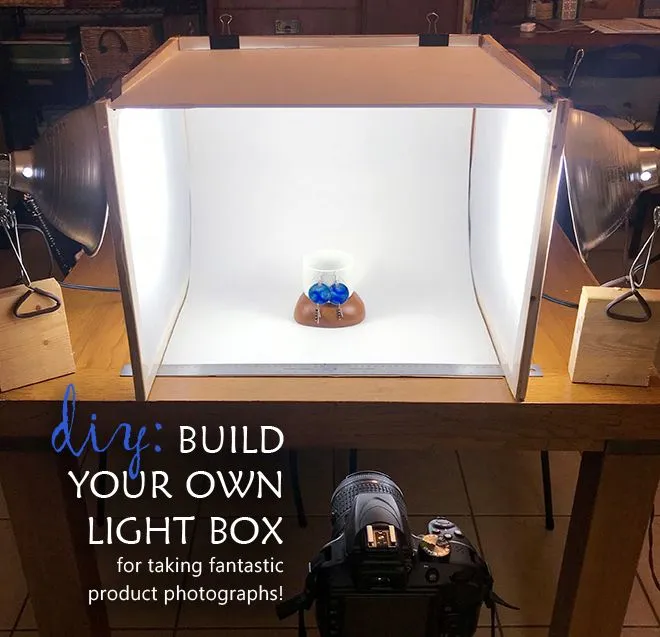
You don't need a lightbox kit or a rented studio to shoot products that sell. Here's the exact household setup — foam board, parchment paper, and a phone flashlight — that replaced my gear, with a cost breakdown to prove it.

Plastic Skin and Ghost Textures: How Your Noise Reduction Slider Is Sabotaging Your Photos
Editing Tools

Plastic Skin and Ghost Textures: How Your Noise Reduction Slider Is Sabotaging Your Photos

AI noise reduction has gotten scary good — and that's exactly the problem. Here's how to tell when your cleanup is stripping away the grain and texture that make an image feel alive, plus a workflow that keeps the character while killing the noise.

That Big Logo Across Your Portfolio Might Be the Reason Your Inbox Is Quiet
Stock Photography

That Big Logo Across Your Portfolio Might Be the Reason Your Inbox Is Quiet

Watermarks promise protection but often deliver silence. We talked to working photographers and art directors about when a watermark guards your work — and when it quietly talks a client out of hiring you.

Your Monitor Is Gaslighting You: The Color Drift Nobody Over 40 Sees Coming
Editing Tools

Your Monitor Is Gaslighting You: The Color Drift Nobody Over 40 Sees Coming

If your edits look perfect at night and off by morning, your eyes and your display might both be working against you. Here's how aging vision and screen drift quietly sabotage your work — and the $80 fix that ends the guessing game.

Midnight Mirage: The Real Reason Your 2 AM Edits Betray You by Daylight
Editing Tools

Midnight Mirage: The Real Reason Your 2 AM Edits Betray You by Daylight

Ever finish an edit at midnight that looks perfect, only to wake up to a washed-out, overly saturated mess? Your monitor isn't broken — your eyes and your screen settings are working against you. Here's how to calibrate your display (even on a budget laptop) so you can trust what you see at any hour.

"It Just Looks Off": Decoding the Technical Reasons Clients Say Your Images Feel Cheap
Editing Tools

"It Just Looks Off": Decoding the Technical Reasons Clients Say Your Images Feel Cheap

When a client says your proof 'looks cheap,' they're rarely wrong — they're just bad at explaining why. Here's how to translate vague feedback into fixable technical problems before you burn a fifth revision round.

One Shoot, Five Income Streams: The Pipeline That Turns a Saturday Session Into a Stock Portfolio
Stock Photography

One Shoot, Five Income Streams: The Pipeline That Turns a Saturday Session Into a Stock Portfolio

Most creators shoot a session, post it once, and move on. Here's the workflow that stretches a single afternoon of photography across print sales, microstock, digital products, and social templates — plus the rookie mistakes that get images rejected before they ever earn a dime.

Your Hero Image Has a Monthly Payment Plan: The Real Cost of Skipping Compression
Editing Tools

Your Hero Image Has a Monthly Payment Plan: The Real Cost of Skipping Compression

Oversized images don't just slow down your site — they quietly inflate your hosting bill and shave dollars off every checkout. Here's a plain-English breakdown of what 'too heavy' actually costs, plus a 30-minute audit workflow with real before/after numbers.

That Blank Alt Field Is Costing You Traffic: A 60-Second Alt Text Formula That Works
Editing Tools

That Blank Alt Field Is Costing You Traffic: A 60-Second Alt Text Formula That Works

Most creators either skip alt text entirely or stuff it with keywords until it reads like a ransom note. Here's a simple, repeatable formula that satisfies screen readers, Google Images, and your own sanity — all in under a minute per image.

That 4K Photo Was 800px This Morning: The Upscaling Problem Nobody Warned You About
Editing Tools

That 4K Photo Was 800px This Morning: The Upscaling Problem Nobody Warned You About

AI upscalers can turn a blurry phone snap into a poster-worthy print — or a pixelated mess that gets your upload rejected. Here's how to enlarge responsibly, spot the telltale artifacts, and keep your images looking real.

Why Your Instagram Grid Looks Off (and the Hex Codes That Will Fix It)
Editing Tools

Why Your Instagram Grid Looks Off (and the Hex Codes That Will Fix It)

You don't need an art degree to build a color palette that actually works. Here's a jargon-free system using free tools like Adobe Color and Coolors, plus copy-paste hex codes for fitness, finance, and food niches.

Scroll-Stopper or Scroll-By? The Mobile Feed Reality Check Your Thumbnails Need
Editing Tools

Scroll-Stopper or Scroll-By? The Mobile Feed Reality Check Your Thumbnails Need

Most creators design thumbnails on a big, beautiful monitor — then get skipped by everyone staring at a 6-inch screen. Here's how your images actually look in the wild, plus a fast pre-publish test that catches the duds.

That 'Free' Stock Photo Just Sent You an Invoice: A Creator's Guide to Dodging Licensing Claims
Stock Photography

That 'Free' Stock Photo Just Sent You an Invoice: A Creator's Guide to Dodging Licensing Claims

Demand letters over image licensing are hitting small blogs and solo creators harder than ever, and the 'free' photo you grabbed in 2019 might be the culprit. Here's how to audit your archive, decode a license, and build a workflow that keeps the lawyers away.

One Master Image, Every Platform: My No-Stress Resizing System for 2025
Editing Tools

One Master Image, Every Platform: My No-Stress Resizing System for 2025

Stop rebuilding graphics for every platform from scratch. This is the batch-resize workflow and dimension cheat sheet that gets one image ready for Instagram, TikTok, YouTube, Pinterest, LinkedIn, and X — without a single awkward crop.

Your Images Get 0.4 Seconds. Here's What Visitors Actually See Before They Read a Single Word.
Stock Photography

Your Images Get 0.4 Seconds. Here's What Visitors Actually See Before They Read a Single Word.

Eye-tracking research shows visitors form a judgment about your site before your headline ever registers. We break down the three image qualities doing all the work — and how to fix each one in under five minutes.