Your Composition Grid Is Lying to You: What Pros Do After the Thirds Line Stops Working

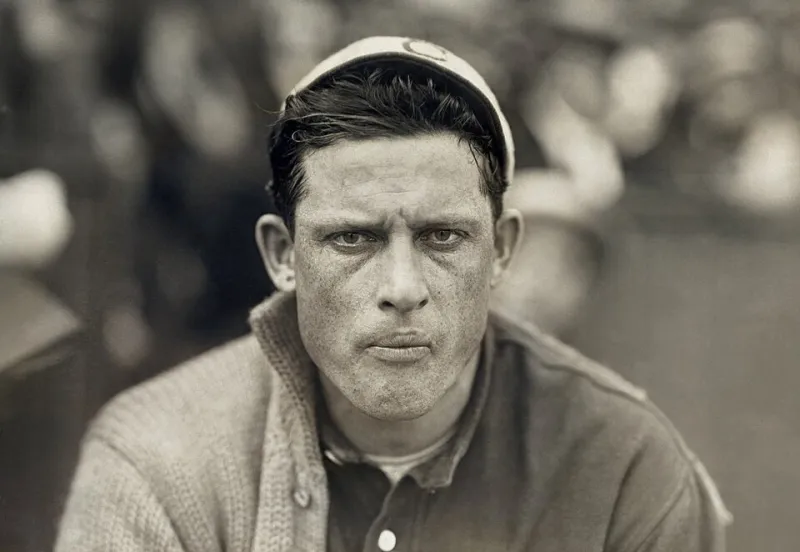
Photo: Dmitry Terekhov from Odintsovo, Russian Federation, CC BY-SA 2.0, via Wikimedia Commons
Open any beginner photography tutorial and you'll see it within the first three minutes: the nine-box grid. Rule of thirds. Put your subject on a line, put the horizon on a line, done. And for the first hundred or so photos you take, it genuinely helps — your frames stop feeling like passport photos and start feeling intentional.
Then something weird happens. You look at your portfolio six months in and everything feels... competent. Even. A little beige, compositionally speaking. Every subject sits in the same quadrant. Every horizon is politely offset. You've been solving composition problems with one tool, and it's flattening your work.
Here's the uncomfortable truth: the rule of thirds is a simplification of a simplification. It's a rough approximation of ideas that visual artists have been refining for centuries, passed down through a decade of listicle content until only the grid survived. The pros you admire aren't ignoring it — they've just moved past it.
The Thirds Trap: Why 'Safe' Reads as 'Boring'
The rule of thirds works because it breaks the biggest beginner mistake: dead-center everything. But once you've internalized that, following the grid religiously creates a new problem — predictability. Viewers' eyes learn patterns fast. If every image in your gallery has the subject on the left vertical line, people stop exploring the frame. They glance, they nod, they scroll.
There's also a subtler issue. The thirds grid treats every part of the frame as equal, which it isn't. The corners, the edges, the exact center — each carries different psychological weight, and the grid gives you no vocabulary for any of it. That's where the deeper frameworks come in.
Dynamic Symmetry: Composition With a Rhythm Section
Dynamic symmetry is built on the golden ratio and its cousin, the root rectangles — geometric armatures that divide the frame into proportionally related zones rather than equal ones. Jay Maisel and Henri Cartier-Bresson territory, roughly speaking, and the backbone of a lot of classical painting composition.
You don't need to memorize the math. In practice, using a dynamic symmetry overlay (Lightroom and Capture One both support custom crop guides, and free overlays exist for Photoshop) teaches you one core shift: lines matter more than points. Instead of asking "where does my subject sit?" you start asking "what diagonal or curve carries the viewer's eye through the frame?"
A portrait where the subject's gaze line follows one of the reciprocal diagonals feels directed. A landscape where a river sweeps along a main diagonal feels inevitable. That's the difference the grid can't capture.
Negative Space Math: Decide What the Photo Is About, Then Starve It
Here's a framework that requires zero overlays: before you crop, decide what percentage of the frame should be the subject. Not where it goes — how much room it gets.
- Subject at 60–80% of the frame reads as intimate, urgent, confrontational. Great for portraits with emotional weight and product shots where the item is the whole pitch.
- Subject at 20–40% creates breathing room and context. This is where lifestyle stock and environmental storytelling live.
- Subject under 15% turns the space itself into the subject — loneliness, scale, minimalism. Brutally effective when it works, and almost impossible to fake.
Most thirds-cropped images land in a mushy 40–60% zone that commits to neither intimacy nor atmosphere. Pick a lane. The fastest compositional upgrade you can make is a deliberate negative-space decision on every crop.
Subject Anchoring: The Edge Test
One more tool: look at where your subject touches — or refuses to touch — the frame's edges. Anchor a subject to the bottom edge and it feels grounded, heavy, present. Float it free of all edges and it feels isolated or adrift. Let it break the top edge and you create tension and scale.
This is why a tightly cropped face bleeding off the top of the frame feels more immediate than the same face perfectly boxed inside the thirds lines. The grid never tells you to let anything touch the edge. Sometimes that's exactly the shot.
Before and After: The Same Image, Three Ways
Take a single frame — say, a barista working behind a café counter, shot in a Denver coffee shop. The default thirds crop puts her on the right vertical, espresso machine on the left. Fine. Safe. You've seen this photo four hundred times.
- Crop one, dynamic symmetry: Rotate the crop so the counter's edge runs along a dominant diagonal, and let her hands fall at the intersection of two reciprocals. Suddenly the image has a flow — eye enters at the machine, travels the counter, lands on her.
- Crop two, negative space: Pull way back conceptually — crop her to 15% of the frame against a wall of warm negative space. Now it's about the quiet of an empty shop at 6 a.m.
- Crop three, edge anchor: Tight crop, her face breaking the top edge, hands cut by the bottom. It's claustrophobic and immediate — a different story entirely from the same file.
Three completely different images. The thirds crop gave you one.
When the Grid Still Wins
Look, don't torch the training wheels entirely. The rule of thirds is still the right call when:
- You're shooting fast — event coverage, street work, run-and-gun situations where there's no time to compose around armatures.
- The image will be cropped later — social platforms chop frames unpredictably, and thirds placement survives center-crop algorithms better than delicate diagonals.
- The composition is already busy — when the content is complex, a simple, familiar structure keeps it readable.
The point isn't to replace one rule with three new rules. It's to stop letting a single grid make every decision for you. Turn on the thirds overlay when it helps. Turn it off when it's just confirming what you were going to do anyway.
Your portfolio doesn't need more technically correct crops. It needs crops that mean something. Mean it.